| Mimic
Setup |
| Text
Object Setup |
The Text object Setup is used to set properties for a text object
To access :
- Double click on the object on the screen
- Click on the object and click on the Object Properties button on the Mimic
Edit Tool bar.
- Select the object from the Object List
window and click Setup.
The following dialog appears:
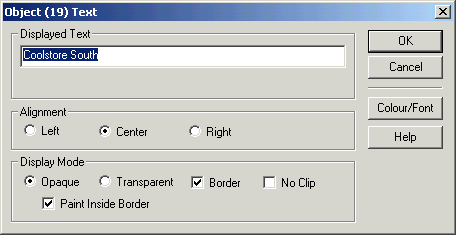
Displayed Text
Enter the displayed text required.
Alignment
See Object Alignment
Display Mode
See Object Display Mode
See Also
Text Object Colour
and Font